According to future market insights from leading cloud providers and independent market studies, organizations achieve the highest benefits from migration when they modernize outdated environments and enhance resource efficiency. Research also shows that companies with strong planning and clear workload mapping experience smoother transitions and fewer unexpected hurdles during migration.
What determines cloud migration costs?
The actual cost of cloud migration rests on workload size, application complexity, data volume, tool choice, security rules, and defined strategy. Workload size increases effort due to the fact that large systems contain more servers, network paths, databases, and environments. When teams take a closer look at existing infrastructure, they have to examine required performance, memory usage, latency needs, and chains of dependencies. Each step increases labor hours and shapes the pattern of costs.
Application complexity becomes the key variable, as old code, proprietary modules, or inflexible architectures must be refactored before entering the cloud. For example, legacy payroll may depend on static scripts or libraries that are no longer supported. The migration of such systems requires painstaking rewriting and pinpoint testing. These changes increase cost, well before the beginning of the actual migration.
What is the average cost of cloud migration?
The average cost is dependent on company size and system footprint. Small businesses usually spend $5,000 because they deal with fewer dependencies and lightweight datasets. Most often, small businesses complete migrations with rehosting and minimal restructuring. Mid-size companies spend $20,000 to 1,00,000 per workload, with the difference being based on mixed stacks, heavier storage, and complex deployment pipelines.
Large enterprises will spend $250,000 to $2 million per program, especially when dealing with legacy systems, multi-layer databases, and wide integration networks. These migrations require detailed assessments, multi-phase cutovers, load balancing, container strategies, and advanced monitoring setups. Such environments introduce more risk, and risk increases cost. These values illustrate how scale and complexity shape long-term budgets.
How do companies calculate cloud migration cost estimates?
Companies calculate the migration cost by adding assessment effort, labor hours, data transfer needs, tool licensing, testing cycles, and early cloud operations. Assessment forms the base because teams need to identify resources, assess performance, and create dependency maps. Poor documentation extends this phase and raises effort and cost. Labor becomes the biggest expense because engineers handle adjustments, automation, testing, and deployment.
The cost of data transfer depends on the dataset volume and transfer windows. When organizations move extensive data archives, they have to plan for staging zones and validation layers. Testing costs include functional checks, integration checks, performance checks, and security checks. These steps ensure every component behaves correctly in the cloud.
Early cloud operations also impact budget needs, require monitoring setup, identity rules, logging structures, and optimization cycles. These things stabilize systems and lay the foundation for long-term efficiency. Together, these elements shape a complete cost estimate that guides planning.
Common Challenges in Cloud Migration
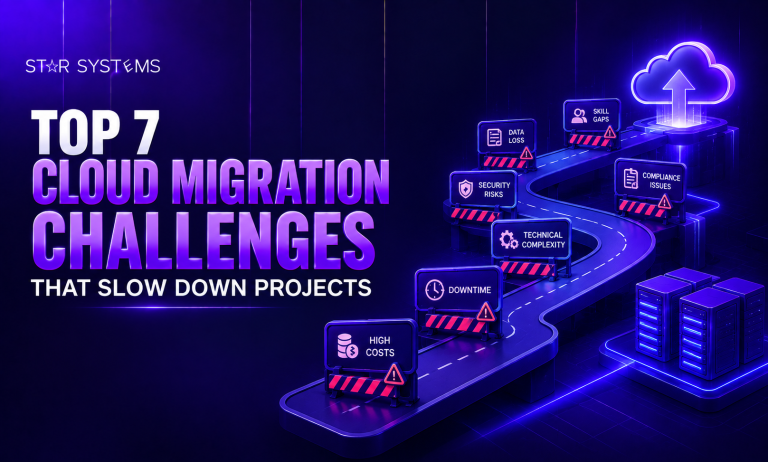
Data transfer complexities: Moving large volumes of data takes longer than expected, especially with limited bandwidth. A company with 50TB of data might need weeks just for the transfer, and any network interruption means starting portions over again.
Application dependencies nobody documented: Your CRM system might quietly rely on an old database that three other tools also use. These hidden connections only reveal themselves when something breaks, forcing you to map out relationships you didn’t know existed.
Security and compliance requirements: Different industries have strict regulations about where data lives and how it’s protected. Meeting these standards in a cloud environment requires careful planning, audits, and sometimes specialized configurations that add time and cost.
Staff resistance: Your team knows the current system inside out but feels uncertain about cloud operations. This learning curve slows adoption, and some employees might actively resist changes they don’t understand or trust.
Unexpected compatibility issues: Applications built for on-premise servers often need modifications to work properly in the cloud. What seemed like a simple move becomes a refactoring project when you discover your software doesn’t support cloud databases or storage formats.
Performance problems after migration: Applications that ran smoothly on local servers might perform poorly in the cloud due to network latency or different resource allocation. Troubleshooting these issues requires time and expertise you might not have budgeted for.
How Long Does Cloud Migration Takes Time
Migration timelines vary significantly based on your organization’s size, complexity, and preparation level:
- Small businesses (3-6 months): Companies with basic setups and fewer than 50 employees can typically complete migration in a quarter to half a year. This assumes straightforward applications, minimal customization, and a clear plan from day one.
- Medium-sized organizations (6-12 months): Businesses with multiple departments, integrated systems, and 50-500 employees need more time for planning, testing, and phased rollouts. Coordinating across teams and ensuring business continuity extends the timeline considerably.
- Large enterprises (12-24+ months): Organizations with legacy systems, strict compliance requirements, and complex infrastructures often spend over a year on migration. They typically move workloads in carefully planned phases rather than all at once to minimize risk.
- Planning phase (2-4 months): Before any actual migration begins, you need a thorough assessment, strategy development, and stakeholder alignment. Rushing this phase is the primary reason migrations fail or exceed budgets dramatically.
- Testing and validation (ongoing): Each migrated component requires extensive testing before going live. This isn’t a one-time activity but continues throughout the entire migration process to catch issues early.
- Post-migration optimization (3-6 months): Even after everything moves to the cloud, you will spend months fine-tuning performance, adjusting resource allocation, and training staff on new workflows. The migration isn’t truly complete until operations stabilize.
Smart Ways to Save Money on Migration
Reducing cloud migration costs requires strategic planning and ongoing management throughout the process:
Eliminate before you migrate: Review every application, database, and file to identify what’s actually being used. Migrating unused resources wastes money on transfer costs and ongoing cloud storage fees for digital clutter.
Use cloud provider migration incentives: AWS, Azure, and Google Cloud offer free migration assessments, tools, and sometimes even credits to win your business. Take advantage of these programs rather than paying third parties for services available at no cost.
Appropriate migration strategy: Not everything needs rewriting. Simple “lift and shift” migrations cost far less than re-architecting applications. Save the expensive rebuilds for systems that truly need modernization to function properly.
Negotiate Reserved Instance commitments: If you can predict baseline resource needs for 1-3 years, commit upfront for discounts up to 70%. This works especially well for production workloads with consistent usage patterns.
Implement auto scaling: Rather than over-provisioning to handle peak loads, configure systems to automatically scale up during busy periods and down during quiet times. You only pay for what you actually use.
Train internal staff: External experts charge premium rates for knowledge your team can learn. Invest in training programs for current employees who already understand your business and will provide long-term value.
Set up cost monitoring: Configure spending alerts before migration begins so you catch expensive mistakes early. A forgotten test environment running for a month can cost thousands in unnecessary charges.
Schedule Resources: Development and testing environments don’t need to run 24/7. Automatically shut them down on nights and weekends to cut costs by 60-70% without impacting your team’s work.
Which Tools Help Estimate the Costs of Cloud Migration?
Several powerful tools can help you calculate migration expenses more accurately and avoid budget surprises:
AWS Migration Evaluator: Amazon offers this free assessment tool that digs into your current infrastructure and tells you what running everything on AWS would actually cost. Instead of guessing based on specifications, it looks at your real usage patterns over time to give you numbers grounded in reality.
Azure Migrate: Microsoft’s platform examines your existing systems and suggests which Azure services make the most sense for your situation. The cost estimates include discounts you might qualify for, like reduced rates if you already own Microsoft licenses or commit to longer terms.
Google Cloud Pricing Calculator: This straightforward tool lets you build out your ideal cloud setup piece by piece and see the monthly price tag instantly. You can try different configurations with more storage here, less computing power there, until you find something that fits your budget without sacrificing what you need.
Cloudamize: This analytics platform watches how you actually use your current servers and databases, then recommends cloud resources sized for your real needs. It stops you from the expensive mistake of buying way more capacity than you will ever use just because you’re worried about running out.
RiverMeadow Migration Tool: Beyond just calculating costs, this helps you plan the entire move and tracks expenses as you go. The real value is seeing both the one-time migration bill and what you’ll pay monthly once everything’s running in the cloud.
Built-in provider calculators: AWS, Azure, and Google all have basic calculators on their websites where you punch in what you think you need. They’re not as smart as the assessment tools, but they’re perfect for getting a rough idea when you’re just starting to explore options.
Independent cost monitoring platforms: Tools like CloudCheckr and Spot analyze spending patterns across different cloud providers and suggest ways to cut costs. They shine after you’ve migrated, but looking at their recommendations for similar businesses gives you a preview of your future expenses.
Conclusion
Cloud migration costs don’t have to strain your budget. With a thorough evaluation of your current infrastructure, the right estimation tools, and smart cost management strategies throughout the process, you can move to the cloud in a way that makes financial sense for your business with Star Systems, Cloud Migration Services. The key is treating cost control as an ongoing practice rather than a one-time calculation, adjusting as you learn what your organization actually needs in the cloud.