AWS for Migration
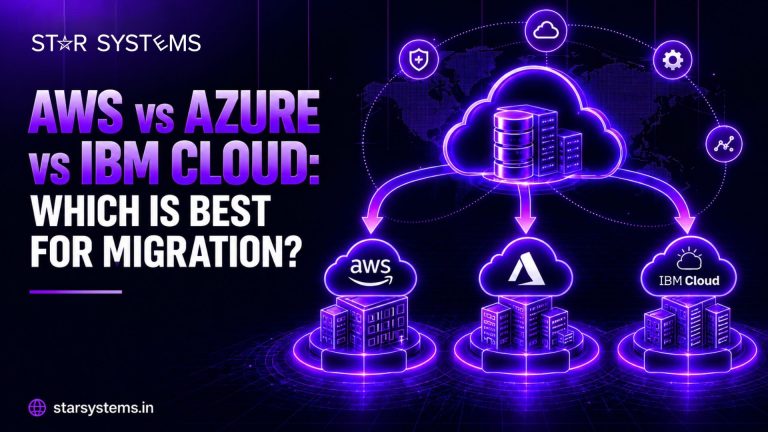
Amazon Web Services is known for its huge catalog of services, its global reach, and its large community of engineers and partners. For migration, that means plenty of tools, documentation, and experienced talent to draw on. AWS Migration Services support everything from simple server moves to large-scale application modernization.
Where it shines: broad service choice, strong support for cloud-native development, and a mature ecosystem.
Watch out for: the sheer number of options can overwhelm teams, and costs can climb if resources are not monitored closely.
Azure for Migration
Microsoft Azure is a natural fit for companies that already depend on Microsoft products. Identity management, databases, and productivity tools tend to connect smoothly, and licensing benefits may reduce the cost of moving existing Microsoft workloads. Azure Migration Services are particularly helpful for Windows-based environments and hybrid setups.
Where it shines: integration with Microsoft tools, strong hybrid capabilities, and a familiar experience for Windows teams.
Watch out for: licensing rules can be complex, so it pays to plan carefully before you move.
IBM Cloud for Migration
IBM Cloud is often the preferred choice for organizations that prioritize security, compliance, and hybrid flexibility. It is especially popular in industries such as banking, insurance, and healthcare, and it works well with Red Hat OpenShift for container-based workloads. With IBM Cloud VPC, businesses can build isolated private networks with fine-grained control over access and traffic. A well-planned IBM Cloud migration suits companies that want predictable governance over critical systems.
Where it shines: regulated workloads, hybrid and multi-cloud strategies, and enterprise applications.
Watch out for: The ecosystem of third-party tools and community resources is smaller than AWS or Azure, so a skilled migration partner matters even more.
AWS vs Azure vs IBM Cloud: Side-by-Side Comparison
Here is a quick snapshot to help you compare the three at a glance.
| Factor | AWS | Azure | IBM Cloud |
|---|
| Best fit | Cloud-native apps, broad needs | Microsoft-heavy environments | Regulated and hybrid enterprises |
| Main strength | Service variety and ecosystem | Microsoft integration | Security, control, hybrid |
| Hybrid approach | Good | Very strong | Very strong |
| Learning curve | Moderate to steep | Easy for Windows teams | Moderate |
| Watch out for | Cost sprawl | Licensing complexity | Smaller third-party ecosystem |
What Do You Need? The Right Cloud for Your Business Problem
Most business owners do not start with “Which cloud is best?” They start with a problem. Here is how the choice usually plays out in real situations.
I want to reduce my IT costs
Start by right-sizing what you move instead of copying everything as it is. If you run Microsoft software, Azure may lower licensing costs. AWS offers flexible pricing options for changing workloads. Whichever you choose, set up cost monitoring from day one.
My business runs on Microsoft software
Azure is usually the smoothest path. Your existing identity, database, and Windows workloads tend to connect easily, which means a faster and less risky migration.
I need to meet strict security and compliance rules
IBM Cloud is a strong fit, especially for banking, insurance, and healthcare. Isolated private networks and fine-grained access control give you more confidence over sensitive data.
I want to build and scale a digital product quickly
AWS is a popular choice for fast-growing, cloud-native applications because of its wide range of services and mature ecosystem.
I cannot afford downtime during the move
The platform matters less here than the plan. Migrate in stages, run a pilot first, replicate data ahead of time, and keep a tested rollback plan for every phase.
I do not have an in-house cloud team
Work with a migration partner who has hands-on experience across all three platforms. They can recommend the right fit, handle the technical work, and train your team along the way.
I do not want to depend on just one provider
Consider a multi-cloud approach, placing each application on the platform where it performs best. We cover how to do this without adding chaos in a section below.
Common Mistakes When Choosing a Cloud for Migration
- Picking a provider because it is popular, without checking how your applications will run there.
- Comparing only monthly pricing and ignoring licensing, data transfer, and migration effort.
- Leaving security and compliance questions until after the decision is made.
- Assuming every workload must go to the same cloud.
- Skipping a pilot migration, which is the best way to test your choice before committing.
Avoiding these mistakes matters more than the logo on the platform you choose. A careful assessment will almost always save you time and money.
Do You Have to Pick Just One?
Not at all. Many businesses run workloads on more than one cloud. A common pattern is placing each application where it fits best: Microsoft workloads on Azure, cloud-native apps on AWS, and regulated systems on IBM Cloud. This approach offers flexibility, but it also adds complexity, so a clear multi-cloud migration plan, with consistent security and monitoring, is essential.
How Star Systems Helps You Choose and Migrate
Choosing the cloud is only the first step. Our cloud migration services begin with an honest assessment of your applications, then match each workload to the platform that makes the most sense. For migrations into IBM Cloud VPC, our Infra Bridge migration platform automates discovery, network setup, and data transfer, with live progress tracking along the way.
Conclusion
In the AWS vs Azure vs IBM Cloud debate, all three are capable, trusted platforms. The best one for your migration is the one that fits your applications, your people, and your goals. Start with a clear assessment, compare options honestly, and plan your migration in stages. Do that, and the platform choice becomes much easier.