What Are Database Migration Challenges?
Database migration challenges are technical, operational, and security-related issues that occur when transferring databases from one environment to another.
These problems can arise when moving databases from on-premises servers to the cloud, migrating between cloud platforms, or upgrading to a different database system.
For example, a business migrating its SQL database to a cloud environment may experience data compatibility issues, slow transfer speeds, or application connection failures.
A well-planned migration strategy helps identify these risks early and reduces the possibility of operational disruption.
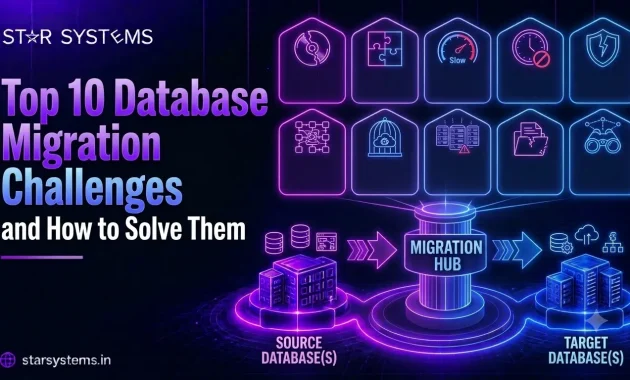
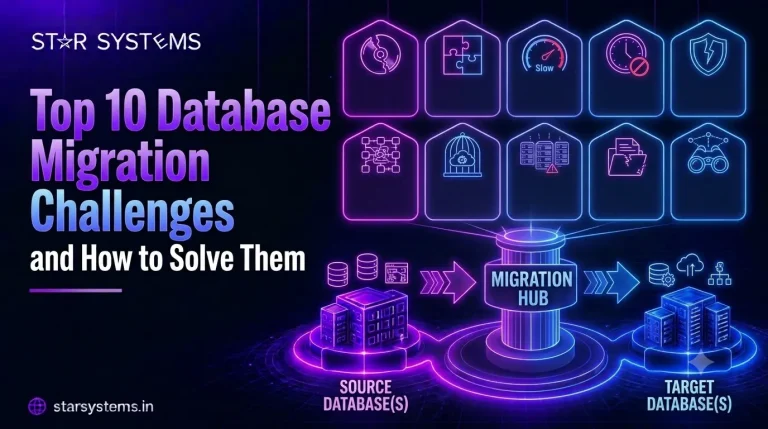
Top 10 Challenges in Database Migration to Cloud and How to Solve Them
1. Data Loss and Data Integrity Issues
Data loss is one of the most serious database migration challenges. Missing records, corrupted information, or incomplete transfers can disrupt operations and affect customer trust.
These problems often occur because of interrupted transfers, incompatible data formats, or incorrect migration settings.
How to solve it:
- Create verified database backups before migration.
- Use reliable migration and replication tools.
- Validate record counts, data relationships, and critical transactions.
- Perform data integrity checks before switching production systems.
Data validation should take place throughout the migration process, not just after completion.
2. Unexpected Database Downtime
During database migration to cloud, unexpected downtime can interrupt customer transactions, internal applications, and essential business services.
For businesses operating around the clock, even a short outage may affect productivity and customer experience.
How to solve it:
- Define acceptable downtime before migration.
- Use continuous replication where supported.
- Schedule migration cutovers during low-traffic periods.
- Prepare and test a rollback plan.
Some databases support near-zero-downtime migration, but the actual downtime depends on the database architecture and application requirements.
3. Database Compatibility Problems
Different database platforms may use different SQL syntax, data types, stored procedures, and database features.
For example, migrating from Oracle to PostgreSQL may require changes to schemas, queries, and application logic.
Without compatibility testing, applications may fail to function correctly after migration.
How to solve it:
- Assess compatibility between source and target databases.
- Identify unsupported database features.
- Test schema conversion and application queries.
- Modify incompatible database objects before migration.
Choosing a compatible target platform can reduce technical complexity and development effort.
4. Data Security and Compliance Risks
Security is a critical consideration during database migration to cloud, particularly when transferring sensitive customer, financial, or operational information.
Unsecured connections, incorrect access permissions, or poor cloud configurations can expose business data to security threats.
Organizations must also consider applicable data protection regulations and industry requirements.
How to solve it:
- Encrypt data during transfer and storage.
- Implement role-based access controls.
- Use secure network connections.
- Review data residency and compliance requirements.
- Monitor database access and security events.
Security should be integrated into every stage of migration rather than treated as a final checklist item.
5. Large Database Migration Complexity
Migrating large databases can be challenging because of high data volumes, limited network bandwidth, and long transfer times.
Enterprise databases may contain millions of records, complex relationships, and dependencies across multiple applications.
How to solve it:
- Analyze database size and growth patterns.
- Use incremental migration or change data capture where supported.
- Optimize network bandwidth and transfer methods.
- Divide migration activities into manageable phases.
For large datasets, an initial bulk transfer followed by continuous synchronization can reduce the final migration window.
6. Application Integration Failures
Business applications depend on databases for customer information, transactions, reporting, and daily operations.
After migration, applications may stop working because of changed connection strings, database drivers, network configurations, or unsupported features.
How to solve it:
- Identify all application and database dependencies.
- Test application connectivity in a staging environment.
- Update connection strings and database drivers.
- Perform end-to-end functional testing.
A successful database transfer does not automatically mean that every connected application will work correctly.
7. Unexpected Cloud Migration Costs
Cloud database migration costs can increase because of additional storage, data transfer charges, software licensing, testing, and infrastructure requirements.
Businesses may also underestimate ongoing database management and cloud resource expenses.
How to solve it:
- Estimate the total cost of ownership before migration.
- Compare managed and self-managed database services.
- Review licensing and data transfer costs.
- Monitor resource usage after deployment.
- Optimize computing, storage, and backup configurations.
Proper cost planning helps businesses avoid unnecessary expenses and improve long-term cloud efficiency.
8. Poor Database Performance After Migration
A database that performs well on traditional servers may behave differently after moving to a cloud environment.
Performance problems can occur because of network latency, insufficient computing resources, inefficient queries, or incorrect configurations.
How to solve it:
- Benchmark database performance before migration.
- Select appropriate cloud computing and storage resources.
- Optimize database queries and indexes.
- Conduct realistic workload testing.
- Monitor performance after migration.
Performance testing should reflect actual business workloads rather than basic database connectivity alone.
9. Inadequate Migration Planning and Testing
Many database migration challenges become more serious when organizations begin migration without a detailed plan.
Incomplete dependency analysis, unclear responsibilities, and insufficient testing can cause unexpected failures during production deployment.
How to solve it:
- Develop a detailed database migration strategy.
- Define responsibilities, timelines, and success criteria.
- Conduct pilot migrations before production deployment.
- Document rollback and recovery procedures.
- Complete functional, performance, and security testing.
A structured plan helps teams identify potential problems before they affect live business systems.
10. Lack of Post-Migration Monitoring and Optimization
Database migration does not end when information reaches the target cloud platform.
Without continuous monitoring, businesses may experience performance issues, security gaps, or unexpected cloud expenses.
How to solve it:
- Monitor database availability and response times.
- Configure alerts for performance and security events.
- Review backup and disaster recovery procedures.
- Optimize cloud resources based on actual usage.
- Maintain database updates and security reviews.
Post-migration optimization helps organizations achieve long-term value from their cloud investments.
Database Migration Challenges and Solutions: Quick Comparison
Best Practices for Successful Database Migration
A successful database migration requires careful planning, technical preparation, and ongoing monitoring.
- Assess your existing environment: Understand database architecture, data volumes, application dependencies, and business requirements before migration.
- Choose the right migration approach: Rehosting, replatforming, and database modernization involve different levels of complexity. Select a strategy that aligns with your business goals.
- Prioritize data protection: Maintain verified backups, secure connections, and recovery procedures throughout the migration.
- Test before going live: Validate database accuracy, application functionality, security, and performance in a representative environment.
- Monitor after migration: Continuously review database performance, resource usage, security, and cloud spending.
These practices help businesses reduce migration risks while building more scalable and reliable cloud infrastructure.
How Star Systems Helps Businesses Overcome Database Migration Challenges
At Star Systems, we help businesses modernize their IT infrastructure through structured cloud migration and ongoing cloud management services.
As an IBM Cloud Gold Partner, Star Systems supports organizations with cloud infrastructure planning, workload migration, security, and optimization.
Our approach focuses on understanding existing environments, identifying migration risks, preparing secure cloud infrastructure, and validating migrated workloads.
Whether your organization is moving from on-premises infrastructure or transitioning between cloud platforms, our Cloud Migration Services can help simplify complex migration projects and support business continuity.
Conclusion
Database migration challenges can affect business continuity, data security, application performance, and overall project costs. However, most common risks can be reduced through proper assessment, planning, testing, and continuous monitoring.
Database migration to cloud offers businesses opportunities to improve scalability, modernize infrastructure, and support future growth. Choosing the right migration strategy is essential for achieving these benefits.
With a structured approach and experienced cloud migration support, businesses can minimize disruptions and move toward a more secure and efficient cloud environment.
Planning your cloud migration? Explore Star Systems’ Cloud Migration Services to discuss your infrastructure requirements and migration goals.