For organizations currently running workloads on Microsoft Azure, IBM Cloud can be considered as part of a broader enterprise cloud, hybrid-cloud, or modernization strategy. This has led some organizations to evaluate Azure-to-IBM Cloud migration as part of their broader cloud and modernization strategy.
Why are Enterprises Considering Azure to IBM Cloud Migration?
Microsoft Azure supports a broad range of enterprise workloads, from virtual machines and databases to containers, analytics platforms, business applications, and development environments.
As cloud environments mature, organizations may reassess their infrastructure based on changing business and technology requirements.
For some businesses, the decision may be driven by infrastructure optimization. For others, it may be part of a hybrid-cloud strategy, application modernization initiative, security program, or broader enterprise technology transformation.
Organizations may also evaluate IBM Cloud when they want their cloud infrastructure to align with an existing IBM technology ecosystem or specific enterprise workload requirements.
Azure to IBM Cloud Migration is More than a Lift-and-Shift
Cloud migration is often described as a lift-and-shift process. While rehosting can be appropriate for certain workloads, enterprise environments are rarely that simple.
A typical Azure environment is made up of many interconnected parts working together virtual machines and managed disks, virtual networks and load balancers, network security groups, storage and databases, Kubernetes workloads, identity and access configurations, monitoring and management tools, application integrations, and backup and disaster recovery systems. These components often have dependencies on one another.
An application running on a virtual machine, for example, may depend on specific networking rules, databases, storage resources, identity mechanisms, monitoring services, and external integrations. Moving the virtual machine without understanding those dependencies can result in connectivity problems, application failures, security gaps, or unexpected downtime.
Assessing Azure Workloads Before Migration
Not every Azure workload is ready to move immediately.
Before starting an Azure Cloud Migration to IBM Cloud, organizations should understand how applications are deployed, what infrastructure they use, how they communicate with other systems, and how critical they are to business operations.
A thorough workload assessment should consider:
-
Compute and storage requirements needed to run the application at its expected performance level.
-
Database dependencies, including how the application connects to and relies on them.
-
Network architecture, including how the application communicates with other systems.
-
Security controls currently protect the application, its data, and its access points.
-
Application dependencies on other services, integrations, and external systems.
-
Resource utilization patterns to understand actual demand versus allocated capacity.
-
Performance requirements that the target environment will need to support.
-
Availability requirements, including uptime expectations and failover needs.
-
Compliance considerations tied to industry regulations or data residency rules.
This assessment helps organizations determine the most appropriate migration path for each workload.
Some applications may be suitable for rehosting. Others may benefit from replatforming or modernization. Some workloads may be better retained in their existing environment.
The objective is to make migration decisions based on technical and business requirements rather than applying the same strategy to every application.
Mapping Azure Workloads to IBM Cloud
One of the most important stages of an Azure to IBM Cloud migration project is designing the target environment.
The objective should not simply be to find an IBM Cloud service that appears similar to every Azure service.
The target architecture needs to be designed around the actual requirements of each workload. Key factors to consider include:
-
Compute sized to match actual workload demand rather than existing Azure allocations.
-
Storage options that align with the performance, durability, and cost needs of the data.
-
Networking design that supports the right connectivity, segmentation, and traffic patterns.
-
Security controls built into the architecture from the outset rather than added afterward.
-
Availability requirements, including redundancy and failover expectations.
-
Scalability to accommodate future growth in usage, traffic, or data volume.
-
Monitoring and alerting to maintain visibility into the new environment.
-
Backup and recovery capabilities appropriate to the workload’s criticality.
-
Application dependencies that need to be preserved or re-established after the move.
This can also be an opportunity to improve the architecture rather than simply recreate the existing Azure environment on another cloud platform.
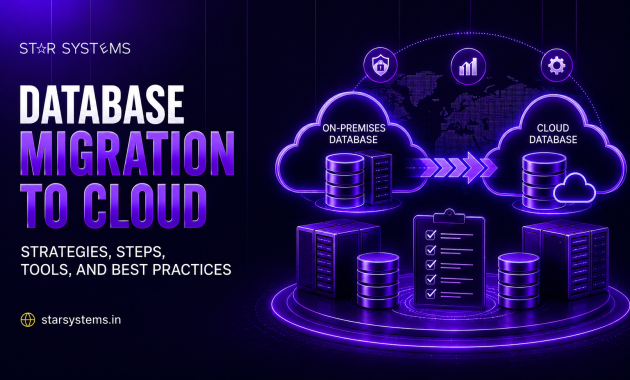
Data Migration Requires Careful Planning
Data is often one of the most challenging components of a cloud migration.
Enterprise environments can contain large databases, application data, backups, files, analytics datasets, and other business-critical information.
Moving this data safely requires careful planning around:
-
Data volume, since large datasets can significantly affect transfer time and method.
-
Transfer methods best suited to the type, size, and timeline of the data being moved.
-
Encryption of data both in transit and at rest throughout the migration.
-
Bandwidth availability, which can affect how quickly data can be transferred.
-
Synchronization between the source and target environments during the transition period.
-
Data integrity checks to confirm that nothing is lost or corrupted in transit.
-
Backup and recovery plans in case something goes wrong during the migration.
-
Downtime tolerance for the applications and users that depend on the data.
-
Production cutover timing and how it will be coordinated across teams.
For applications that cannot tolerate significant downtime, migration teams need to determine how data will remain synchronized during the transition.
cloud migration strategy should also include validation procedures to confirm that data has been transferred accurately before applications are moved into production.
Data migration should therefore be treated as a core component of the overall migration architecture rather than a separate activity performed at the end.
Why a Phased Migration Approach Can Reduce Risk
For enterprises with many applications and complex dependencies, migrating everything simultaneously can introduce unnecessary operational risk.
A phased approach provides an opportunity to validate the migration process before moving highly critical workloads. A typical phased approach includes:
-
Discovery and assessment: Understanding the existing environment and workload dependencies.
-
Pilot migration: Testing the process with selected, lower-risk workloads.
-
Planned migration waves: Moving additional workloads once the target architecture and process are validated.
-
Business-critical migration: Moving the most critical applications last, with detailed preparation around testing, dependency validation, data synchronization, and production cutover.
This approach allows organizations to identify challenges early and continuously improve the migration process.
Azure to IBM Cloud Migration Can Also Support Modernization
Cloud migration provides an opportunity to rethink existing infrastructure.
Some applications may have been running in Azure for years without significant architectural changes. Migration planning provides an opportunity to evaluate whether these applications still meet current business requirements.
Organizations can identify outdated infrastructure, unnecessary resources, tightly coupled applications, and workloads that could benefit from modernization.
This means migration does not have to be simply a change in cloud provider. It can become an opportunity to build a more efficient, secure, scalable, and manageable technology environment.
How Star Systems Supports Azure to IBM Cloud Migration
At Star Systems, we approach cloud migration as a structured transformation initiative rather than simply moving infrastructure from one platform to another.
Our approach is focused on helping organizations work out which workloads are genuinely suitable for migration and which need modernization first, what the target IBM Cloud architecture should look like, how dependencies should be handled, and how migration waves should be prioritized to minimize business disruption as well as what should be optimized once the move is complete.
The objective is not to migrate every workload simply because migration is technically possible. The focus is on identifying the workloads that make business and technical sense to migrate and creating a controlled path to the target environment.
Conclusion
Azure to IBM Cloud migration is not simply a technology replacement exercise. It is an opportunity for enterprises to reassess workloads, modernize applications, improve infrastructure architecture, and align cloud environments with broader business and technology objectives.
The success of the migration depends heavily on the preparation that happens before workloads are moved. Understanding the existing Azure environment, identifying dependencies, evaluating application compatibility, designing the target IBM Cloud architecture, and planning migration waves can significantly reduce risk.