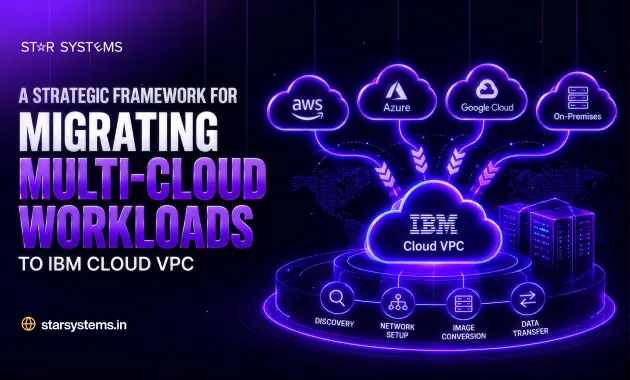



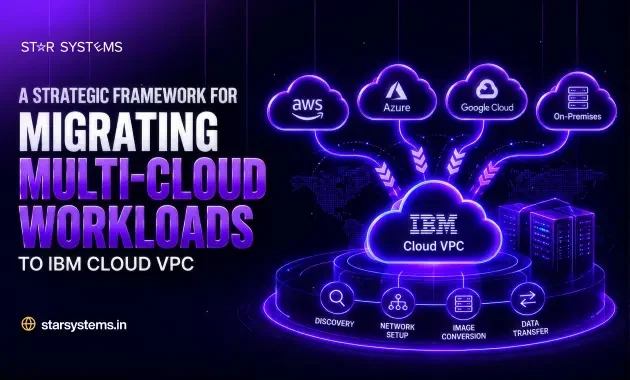
Running workloads across AWS, Azure, Google Cloud, and on-premises servers can look flexible on paper. In practice, many business owners end up with overlapping bills, inconsistent security rules, and teams that struggle to see the full picture. That is why more organizations are consolidating on IBM Cloud VPC, a private, isolated cloud environment that gives you control over networking, security, and cost.
But moving is rarely a simple lift and shift. Success depends on a clear plan. This guide walks you through a practical framework for migrating multi-cloud workloads to IBM Cloud VPC, explained in plain language so both business leaders and technical teams can follow it.
Table of Contents
Why Businesses Are Choosing IBM Cloud VPC
IBM Cloud VPC (Virtual Private Cloud) lets you create your own logically isolated network inside IBM’s public cloud. You decide the IP ranges, subnets, security groups, and access rules, much like designing a private data center, without buying or maintaining hardware.
Here is why it appeals to growing businesses:
- Security by design: Network isolation, encryption, and fine-grained access control suit regulated sectors such as banking, healthcare, and insurance.
- Resilience: Workloads can be spread across multiple availability zones within a region, which reduces the impact of a single failure.
- Flexibility: You can run virtual servers, bare metal, Kubernetes, and Red Hat OpenShift in the same environment.
- Cost visibility: One consolidated environment is easier to monitor and budget than several disconnected ones.
- Hybrid-friendly: Secure connectivity options make it easier to link existing data centers with the cloud.
These strengths form the foundation of modern IBM Cloud VPC infrastructure services, and they explain why so many companies choose it as their consolidation target.
The Real Challenges of Migrating Multi-Cloud
Migrating multi-cloud environments is harder than moving from a single source. Each provider has its own APIs, networking model, identity system, and storage formats. Applications often depend on services you did not know existed until something breaks.
The most common challenges include hidden dependencies between applications, large data volumes that take time to transfer, the risk of downtime during cutover, compliance requirements that differ by region, and a shortage of in-house skills across several platforms. A structured approach turns these risks into manageable tasks.
A Six-Step Framework for Moving to IBM Cloud VPC
Step 1: Discover and assess your environment
Start with a complete inventory of applications, databases, networks, and integrations across every cloud you use. Map the dependencies, measure current performance, and note compliance needs. Then group workloads by business importance and complexity. This step prevents expensive surprises later.
Step 2: Set clear goals and choose a migration strategy
Define what success means for your business: lower cost, better security, faster performance, or simpler operations. Then decide how each workload will move. Some can be rehosted as they are, some replatformed with small changes, and others refactored to take full advantage of the new environment. A few may be retired or retained where they are.
Step 3: Design your IBM Cloud VPC landing zone
Before moving anything, build the foundation. Plan your VPCs, subnets, and availability zones. Define security groups, network access control lists, and identity and access policies. Decide how the new environment will connect to your existing systems, using a VPN or dedicated connectivity. A well-designed landing zone saves a great deal of rework.
Step 4: Plan data migration and run a pilot
Choose the right method for moving data, whether online replication or offline transfer for very large volumes. Test with a low-risk application first. A pilot reveals performance gaps, security issues, and cutover timing before your critical systems are involved.
Step 5: Migrate in waves
Move workloads in planned phases, starting with simpler applications and finishing with the most critical ones. Keep a rollback plan ready for every wave, share schedules with your teams and customers, and validate each application after cutover.
Step 6: Optimize and govern
Migration is not the finish line. Right-size resources, set up monitoring and alerts, apply tagging for cost tracking, and review security regularly. Continuous optimization ensures your IBM Cloud VPC investment keeps paying off.
Key Questions to Ask Before You Begin
Before committing to a timeline, ask your team a few simple questions. Which applications are truly critical to revenue? What are your uptime and compliance requirements? How much downtime can customers tolerate? And which IBM Cloud VPC infrastructure services, such as virtual servers, managed Kubernetes, or storage, will your applications actually need? Clear answers shape your budget, your schedule, and the migration approach you choose for each workload.
Common Mistakes to Avoid
- Skipping discovery and underestimating dependencies between applications.
- Treating migration as a purely technical project and leaving business teams out of the plan.
- Moving every workload the same way instead of choosing a strategy for each one.
- Leaving security and cost controls until after go-live.
What You Can Expect After Migration
When the move is done right, businesses typically see a simpler environment to manage, stronger and more consistent security, clearer cloud spending, and better reliability for customer-facing applications. Your teams spend less time juggling platforms and more time improving products and services.
Why Cloud Migration Services Make a Difference
Migrating multi-cloud workloads involves many moving parts, and a single misstep can mean downtime or unexpected costs. Professional cloud migration services bring proven methods, tested tools, and hands-on experience across multiple platforms. A specialist partner helps you assess your environment, design a secure IBM Cloud VPC architecture, and manage the entire move with minimal disruption, so your internal teams can stay focused on running the business instead of firefighting technical issues.
Why Choose Star Systems Infra Bridge Migration?
Choosing the right partner is just as important as choosing the right framework. Our team combines hands-on IBM Cloud experience with an automated approach built specifically for migrating multi-cloud workloads into IBM Cloud VPC. At the center of it is our Infra Bridge migration platform, which moves workloads from IBM Cloud Classic, AWS, Azure, Google Cloud, or on-premises data centers into IBM Cloud VPC. Here is what sets our approach apart:
- Automated discovery: A non-destructive, read-only scan of your source environments builds one clear blueprint of servers, disks, subnets, and security groups, with no manual spreadsheets.
- Stage-by-stage visibility: A seven-stage automated pipeline shows live progress. If an error or network interruption occurs, you fix it and restart from the exact point of failure instead of starting over.
- Cost clarity up front: Compare your current infrastructure costs with recommended IBM Cloud VPC profiles before you migrate, so there are no surprise invoices.
- Security carried over: Active firewall rules are recreated as native VPC security groups and network access control lists.
- Reduced downtime for Windows: The original server stays live while a staging copy is prepared, so production is never put at risk.
- IBM stack expertise: Experience across IBM Cloud Classic, VPC, Red Hat OpenShift, and Power Virtual Server helps us handle mixed, real-world environments.
The result is a migration that is easier to plan, easier to track, and easier to explain to your leadership team.
Conclusion
A successful move to IBM Cloud VPC comes down to preparation, a clear strategy, and careful execution. Discover what you have, design the right foundation, test before you commit, and keep improving after go-live. Follow this framework, and migration becomes a controlled business upgrade instead of a risky technical gamble.
Ready to simplify your multi-cloud environment? Contact Star Systems today for a free migration assessment and a roadmap built around your business goals.
Frequently Asked Questions
1. What is IBM Cloud VPC?
IBM Cloud VPC is a virtual private cloud that lets you create a logically isolated network within IBM’s public cloud, where you control IP ranges, subnets, security groups, and access policies.
2. How long does it take to migrate multi-cloud workloads to IBM Cloud VPC?
It depends on the number of applications, data volume, and complexity. Small projects can take a few weeks, while large multi-cloud environments are usually migrated in phases over several months.
3. Do I need to move all my workloads to IBM Cloud VPC?
No. Some workloads may be better retired, retained in their current environment, or moved later. A discovery and assessment phase helps you decide what moves and when.
4. Will there be downtime during migration?
Downtime can be kept very low with proper planning, data replication, pilot testing, and a rollback plan for each migration wave.
5. When should I use professional cloud migration services?
If your environment spans several clouds, includes business-critical applications, or your team lacks migration experience, professional cloud migration services reduce risk and speed up delivery.
6. What is Infra Bridge migration and how does it help?
Infra Bridge is an automated, wizard-driven migration platform that moves workloads from IBM Cloud Classic, AWS, Azure, Google Cloud, or on-premises environments into IBM Cloud VPC. It automates discovery, network setup, image conversion, and data transfer, and shows live progress at every stage. If a step fails, you can fix the issue and resume from the point of failure instead of restarting the migration.

With more than a decade of experience in software engineering and digital transformations, our team creates tailor-made technology solutions for startups and enterprises in AI, cloud, and other cutting-edge technologies. Every article is written to offer insightful information that is precise and relevant to the world of technology.
Latest Blogs