This guide walks through the core strategies, a practical step-by-step process, the tools that make migration manageable, and the best practices that separate smooth migrations from costly ones.
What Is Database Migration to Cloud?
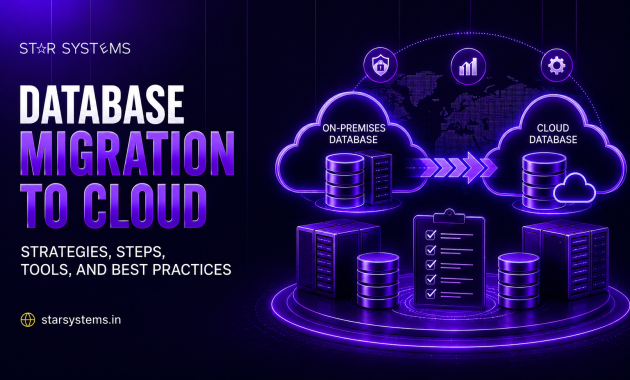
Database migration to cloud is the process of moving data, schemas, stored procedures, and associated database logic from on-premises servers (or another cloud) into a cloud-hosted database environment. This could mean moving to a managed database service, a self-managed database on cloud infrastructure, or a fully re-architected cloud-native database.
Unlike simple file transfers, database migration involves preserving data integrity, maintaining relationships between tables, minimizing downtime, and, when the source and destination platforms differ, adapting the database engine itself.
Why Businesses Are Moving Databases to the Cloud
The reasons vary by organization, but a few themes recur. On-premises database servers require constant patching, hardware refreshes, and manual scaling, all of which pull IT resources away from higher-value work. Cloud database migration shifts much of that burden to the provider through managed services.
Cost is another driver. Instead of over-provisioning hardware for peak load, cloud databases scale on demand, so businesses only pay for what they use. There’s also the resilience factor: cloud providers offer built-in replication, automated backups, and multi-zone failover that would be expensive and complex to replicate on-premises.
Database Migration Strategies
Not every database needs to move the same way. The right strategy depends on downtime tolerance, database size, and how tightly the database is coupled to legacy application logic.
Lift-and-shift migration: moves the database as-is to a cloud-hosted virtual machine, keeping the same engine and structure. It’s the fastest approach but doesn’t take advantage of cloud-native features like auto-scaling or managed maintenance.
Re-platforming: moves the database to a managed cloud database service (like a managed PostgreSQL or MySQL instance) without changing the underlying schema significantly. This strikes a balance between speed and long-term operational benefit.
Re-architecting: involves redesigning the database for cloud-native performance; this might mean splitting a monolithic database into microservices-aligned data stores, adopting NoSQL where appropriate, or restructuring for horizontal scaling.
Hybrid migration: keeps some data on-premises (often for compliance or latency reasons) while migrating the rest to the cloud, connected through secure network links.
Most enterprises land on re-platforming as the sweet spot: enough modernization to gain real cloud benefits, without the cost and risk of a full re-architecture.
Step-by-Step Database Migration Process
- Assess the current database environment size, schema complexity, dependencies, peak transaction volumes, and compliance requirements before touching anything.
- Choose the target platform and migration strategy and decide between a managed database service, a self-managed cloud instance, or a re-architected solution based on business needs and technical constraints.
- Plan for downtime and cutover; even with minimal-downtime tools, most migrations benefit from a maintenance window. Decide whether the cutover will be a single event or a phased, incremental sync.
- Set up the target environment provision the new database, configure network security, set up access controls, and replicate the schema structure.
- Migrate the data using replication or migration tools to move data, starting with an initial bulk load followed by continuous sync to capture changes made during migration.
- Validate data integrity Compare row counts, checksums, and key relationships between source and target to confirm nothing was lost or corrupted.
- Test application connectivity points a staging version of the application at the new database and run functional and performance tests before full cutover.
- Cut over and monitor switch production traffic to the new database, keep the old one available as a fallback for a defined period, and closely monitor performance and error rates.
Cloud Database Migration Tools
Several tools have become standard for reducing manual work and migration risk:
- AWS Database Migration Service (DMS): supports homogeneous and heterogeneous migrations with continuous data replication.
- Azure Database Migration Service: built for moving SQL Server and other databases into Azure with minimal downtime
- Google Cloud Database Migration Service: focused on PostgreSQL and MySQL migrations into Cloud SQL
- IBM Db2 migration tools: support moving Db2 workloads into IBM Cloud with schema and data validation built in
- Third-party replication: tools like Fivetran, Striim, or Qlik Replicate useful for complex, multi-source migrations or when moving between different database engines entirely
The right tool depends heavily on the source and target database engines, and whether the migration is homogeneous (same engine) or heterogeneous (different engines, requiring schema conversion).
Database Migration Best Practices
A few practices consistently separate successful migrations from painful ones:
- Always run a full backup before migration begins, independent of any replication tooling.
- Migrate in a test environment first to catch schema mismatches, encoding issues, or unsupported data types before touching production.
- Use continuous replication rather than a single bulk export where possible, to minimize the final cutover window.
- Involve application teams early, since connection strings, query patterns, and ORM configurations often need updates post-migration.
- Plan a rollback path. Keep the source database intact and accessible for a defined window after cutover in case issues surface.
- Monitor performance post-migration, since query plans and indexing strategies that worked on-premises don’t always perform the same way in a cloud environment.
Final Thoughts
Star Systems is a Database Migration to Cloud partner that helps organizations plan, execute, and validate migrations with minimal downtime and maximum data integrity. Moving a database to the cloud is one of the highest-stakes steps in any modernization journey, but it doesn’t have to be a high-risk one. With the right strategy, a disciplined step-by-step process, proven tools, and a commitment to testing and validation, businesses can migrate confidently and come out with a database environment that’s more resilient, scalable, and cost-efficient than what they left behind.