What Is Kubernetes Migration?
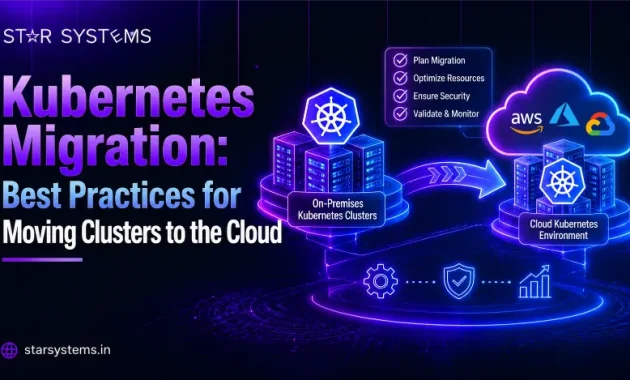
Kubernetes migration is the process of moving containerized applications and the clusters that run them from one environment to another, such as from on-premises servers to the cloud, or from one cloud provider to another. Depending on the project, it may involve Kubernetes cluster migration (moving the whole cluster), Kubernetes workload migration (moving specific applications), or broader container migration that includes images, registries, and data.
Why Businesses Move Kubernetes to the Cloud
- Less operational work: Managed Kubernetes services handle much of the control plane maintenance and upgrades.
- Easier scaling: Cloud resources can grow or shrink with demand.
- Better resilience: Multi-zone setups reduce the impact of a single failure.
- Cost visibility: Pay-as-you-go pricing and usage reporting make spending easier to track.
- Modernization: A cloud move is a good moment to clean up old practices and adopt automation.
Common Kubernetes Migration Challenges
Knowing the risks in advance is half the battle. The most common Kubernetes migration challenges include:
- Stateful workloads: Databases and persistent volumes are harder to move than stateless apps.
- Version differences: Deprecated APIs and mismatched Kubernetes versions can break deployments.
- Networking changes: Ingress, load balancers, DNS, and network policies often work differently on each platform.
- Security and access: Roles, secrets, and identity integrations must be mapped carefully.
- Provider-specific dependencies: Storage classes and cloud integrations rarely transfer as they are.
- Downtime risk: Poorly planned cutovers can interrupt live services.
- Skills gaps: Teams may know Kubernetes well but not the new platform.
Choosing Your Kubernetes Migration Strategy
There is no single right approach. Your Kubernetes migration strategy depends on how much change you can accept and how quickly you need to move.
Kubernetes Migration Best Practices
These Kubernetes migration best practices apply whether you are moving one application or an entire fleet of clusters.
- Audit your current environment. List namespaces, workloads, custom resources, add-ons, storage, and external dependencies.
- Define goals and pick the target. Decide what success looks like and choose the platform, such as a managed Kubernetes service, Red Hat OpenShift, or IBM Kubernetes services.
- Clean up before you move. Remove unused resources, update deprecated APIs, and refresh outdated container images.
- Treat configuration as code. Store manifests and Helm charts in version control, and use GitOps so deployments are repeatable.
- Plan data carefully. Decide how persistent volumes and databases will move, and validate data integrity after each transfer. Open-source tools such as Velero can help with backup and restore.
- Map networking and security. Recreate ingress rules, network policies, role-based access, and secrets in the new environment.
- Test with a pilot. Migrate a low-risk application to a staging cluster first and fix what you find.
- Migrate in waves. Shift traffic gradually using techniques like canary or blue-green deployment, and keep a tested rollback plan.
- Monitor and optimize. After cutover, track performance and cost, and right-size resources.
Stateless vs Stateful: Which Workloads First?
Start with stateless applications, because they are easiest to move and rebuild. Once your team has gained confidence, tackle stateful workloads that rely on databases and persistent storage. These need extra planning for data replication, consistency checks, and a short, well-rehearsed cutover window.
When to Bring In Kubernetes Consulting Services
Not every team needs outside help, but Kubernetes consulting services are worth considering when:
- You are moving production clusters that cannot afford long downtime.
- Your team is new to the target platform or to cloud-native practices.
- You run stateful workloads or work under strict compliance rules.
- An earlier migration attempt stalled or went over budget.
A good consultant runs the audit, designs the target architecture, sets up repeatable deployments, and trains your team, so you are not dependent on outside help once the move is done.
How to Know Your Kubernetes Migration Succeeded
Do not stop at “the pods are running.” A real success check looks at the results your business cares about. After container migration is complete, compare these before and after:
- Availability: Did uptime stay steady during and after cutover?
- Performance: Are response times and error rates the same or better?
- Cost: Is cloud spending in line with your estimate?
- Security: Do access rules, secrets, and network policies pass your review?
- Team efficiency: Are deployments faster and easier to manage than before?
Review these numbers after the first week and again after the first month. Small adjustments early on often deliver the biggest long-term savings.
Common Mistakes to Avoid
- Skipping the audit and discovering hidden dependencies after go-live.
- Copying settings exactly instead of adapting them to the new platform.
- Moving everything at once instead of in controlled phases.
- Leaving security reviews and cost checks until the end.
How Star Systems Helps With Kubernetes Cloud Migration
A Kubernetes migration touches infrastructure, security, networking, and applications all at once. Our Kubernetes consulting services help you audit your current clusters, design the right target architecture, and plan each phase of the move. If IBM Cloud is your destination, our IBM Kubernetes services cover migrating and running your containerized workloads on the platform. Backed by our cloud migration services, you get a clear roadmap, practical guidance at every step, and a partner who stays with you through go-live and optimization.
Conclusion
Moving Kubernetes clusters to the cloud does not have to be risky. With a thorough audit, a strategy that fits your goals, configuration managed as code, and a phased rollout, you can reduce downtime and avoid the surprises that derail many projects. Plan carefully, test early, and keep improving after the move.