




Products

Star VLP (Virtual Learning Platform)

Star VLP is a Virtual Lab Platform that has been developed in order to enable the creation, delivery, and management of hands-on training environments on a large scale.

Ready for a More Flexible Alternative to VMware VLP?

Virtual lab environments tend to grow faster than the systems built to run them. What began as a handful of templates for one training team becomes dozens of multi-VM labs, several delivery formats, multiple audiences, and infrastructure that is expensive to leave idle.

Star VLP was created to solve the current problem that has evolved. It has incorporated all the elements of virtualization management, laboratory setup, training materials, and automation in a single system.

Why Migrate from VMware VLP to Star VLP?

Modern Virtualization Infrastructure

Star VLP supports Proxmox virtualization backend for your lab estate rather than one tied to a single vendor’s licensing direction.

Smarter Lab Operations

Sessions pause when learners go idle, resume where they left off, and enforce time budgets with grace periods and configurable extension limits

Flexible Multi Tenant Delivery

 One deployment can serve multiple institutions, customers, or departments without bleeding configuration between them.

Simplified Lab Migration

Includes a built-in migration client that pulls directly from vCloud Director catalogs, alongside extraction from uploaded VM storage libraries

Complete Training Management

Programs, class scheduling, roster enrollments, self-paced entitlements, scoring, post-lab evaluations, and tenant notices are included in the platform.

Controlled Infrastructure Utilization

Deployment pools and pre-warmed capacity templates make labs available quickly when a class starts

Core Platform Capabilities

User Access Management

Create custom roles and permissions with user groups and secure authentication controls.


Multi-Tenancy

Manage multiple institutions through a scalable platform with tenant specific SSO.

Visual Lab Builder

Design virtual labs with visual network topology and automated lab sequences.

VM Console

Access virtual machines through an HTML5 browser console with custom hardware profiles.

Star VLP vs VMware VLP

Compare Star VLP with legacy VMware VLP capabilities across virtualization migration documentation and resource management.

Feature AreaVMware VLP (Legacy)Star VLP (Modern Alternative)
Virtualization Backend Proprietary VMware ESXi / vCloud Open flexible Proxmox hypervisor support
Migration Tooling Manual export/import processes Built-in migration client pulling directly from vCloud Director catalogs
Multi-Language Manuals Basic file attachments / static text Multi-chapter structured manual authoring with auto-translation in 12 languages
Document Import Manual re-creation required Automatic Word/PDF parsing into interactive structured manual steps
Instructor Oversight Disruptive takeover Non-intrusive read-only console monitoring for live troubleshooting
Idle Resource Controls Rigid time-outs Smart idle detection with auto-pause based on VM activity and browser tracking

One Platform for Complete Virtual Lab Delivery

Star VLP brings together the core capabilities needed to create manage and deliver hands-on virtual learning environments. From lab content and student sessions to classes infrastructure and LMS integration everything works within one platform.

Lab Catalog Management

Lab Catalogs

Organize your labs into structured catalogs and control which users can access them. Create targeted learning collections for different student groups and learning programs.

Virtual Lab Builder

Lab Builder

Create multi-VM lab environments using reusable virtual machines and configurable templates. Configure hardware networking and startup sequences for each lab environment.

Lab Content and Manuals

Lab Content

Build structured manuals with chapters articles and step-by-step instructions for every lab. Import Word or PDF guides and reuse content across labs and supported languages.

LMS Integration

LMS Integration

Connect Star VLP with platforms such as Canvas and Moodle using the LTI 1.3 standard. Students can launch their assigned labs directly from their existing course environment.

Class Scheduling

Scheduling

Create instructor-led classes with assigned labs student rosters schedules and enrollment limits. Automate student access notifications and virtual machine preparation before each class.

Student Lab Sessions

Student Lab Sessions

Let students start pause resume and complete their lab sessions while tracking actual usage. Set time limits access periods and automatic controls for consistent session management.

Built for Every Type of Virtual Training Environment

Software Enterprises

Deliver employee training, customer training, and technical enablement on environments that mirror production.


Universities & Higher Education

Set time budgets and access limits to control how long students can use each lab.

Certified Training Providers

Run instructor-led classes, scheduled cohorts, and self-paced tracks from one platform

Sales & PoC Teams

Run instructor-led classes, scheduled cohorts, and self-paced tracks from one platform

Advantages of Star VLP Versus VMware

Flexible Virtualization Backend

Star VLP runs labs on Proxmox instead of tying your training estate to proprietary ESXi and vCloud infrastructure.


Migration Without Rebuilding

Migrate client imports templates from vCloud Director or VM libraries as ready-to-use Proxmox VMs.

Built-In Training Content

Multi-language manuals with automatic Word/PDF import and real, preserved tables.


Smart Idle Control

Detects real inactivity and pauses sessions instead of ending them, preserving learner time.

 

Why Choose Star VLP for Your VMware Migration Over Other Alternatives

Other alternatives switch out the backend and leave you to rebuild everything else. Star VLP brings your labs, training content, and schedules across too not just the infrastructure. Your existing templates and lab guides move over automatically, ready to use. And it scales cleanly whether you’re supporting one team or many.


Latest Blogs

top cloud migration services providers
cloud Home › Blogs › Top 12 Cloud Migration Services Providers in 2026 Top 12 Cloud Migration Services Providers in...
Azure to IBM Cloud Migration: A Practical Guide for Enterprises
cloud Home › Blogs › Azure to IBM Cloud Migration: A Practical Guide for Enterprises Azure to IBM Cloud Migration:...
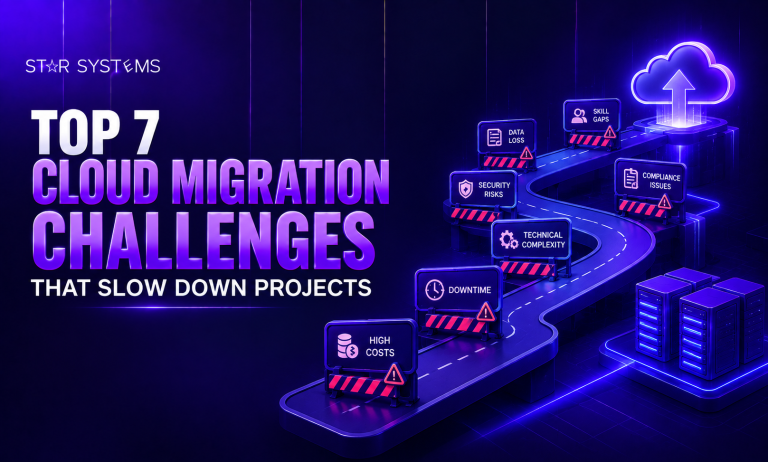
Top 7 Cloud Migration Challenges that Slow Down Projects
cloud Home › Blogs › Top 7 Cloud Migration Challenges that Slow Down Projects Top 7 Cloud Migration Challenges that...
top